

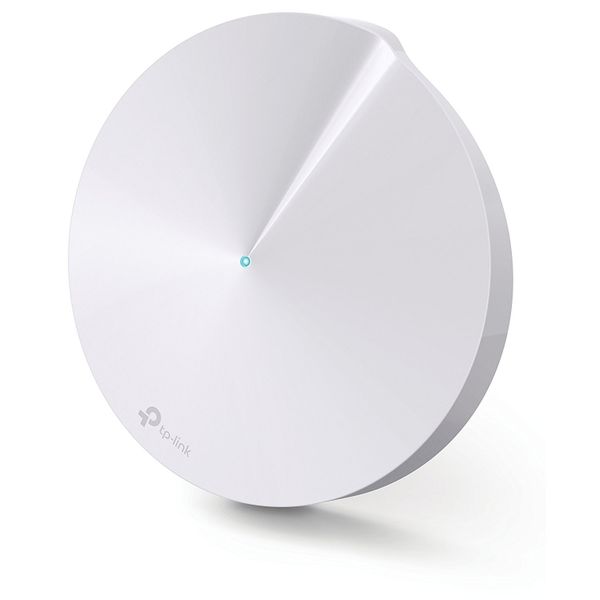
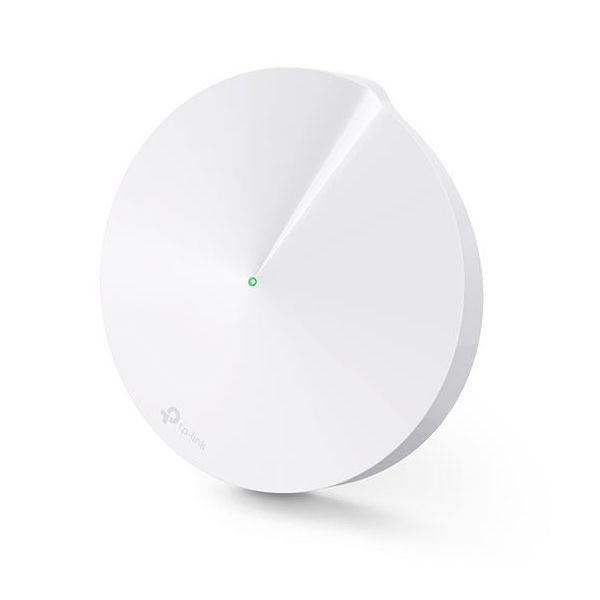
TP-Link Deco M5


 $96.11 - $126.12
Reviews
Show product page
9 years ago
TP-Link Deco M5 Whole Home Wi-Fi System Review
Like mentioned above, the setup and configuration of the TP-Link Deco M5 is by far the easiest Wi-Fi router that I have ever set up. This is perfect for those who just want to plug it in and go. There is no need to fiddle with obscure settings or constantly tweak things.
Pros:
- Covers up to 4,500 square feet
- Excellent parental controls
- Quick and easy setup from mobile device
- Covers up to 4,500 square feet
- Excellent parental controls
- Quick and easy setup from mobile device
Cons:
- More on expensive side
- No web UI access
- No advanced routing settings
- More on expensive side
- No web UI access
- No advanced routing settings

9 years ago
TP-Link Deco M5 Whole Home WiFi System Review
Final Thoughts For their first entry into the whole-home WiFi market I think TP-Link has a very strong contender in the Deco M5 system. This is our first time taking a look at a system like this so we cannot compare it to others, but comparing it to typical routers we can definitely see some areas...
Pros:
- – Easy setup
- – Better overall WiFi coverage than a normal router
- – Small profile
- – TPLink HomeCare included
- – Great unboxing experience
Cons:
- – Not as many configuration options as a normal router
- – Will need to buy a switch if you need multiple Ethernet ports

8 years ago
With multi-room mesh-based Wi-Fi solutions becoming more prominent, every networking brand out there has come out with their own trendy lifestyle routers. Routers that aren't conspicuous big grey boxes but devices as elegant and aesthetically appealing as any iPhone or Samsung flagship.
Pros:
- App works well
- Setup is super easy
Cons:
- Settings can be light on detail
- Minimalist design might not be for everyone

9 years ago
In short, the TP-Link Deco M5 is a worthy entry to the low end of the mesh networking market, and it includes network-based antivirus and excellent parental controls. We prefer Google Wifi's app and the way it can proactively change channels to improve wireless performance and avoid interference,...

7 years ago
TP-LINK Deco M5 WiFi System Review (Retested After 2 Years)
The TP-Link Deco M5 was the first WiFi system released by the Shenzhen-based company in an attempt to join the then-already established group of systems, which included the the Linksys Velop , the Google WiFi and the Netgear Orbi .
9 years ago
TP-Link Deco M5 Whole-Home Wi-Fi System
At $299 for a set of three units, TP-Link's Deco M5 has more to offer than other similarly priced systems, like the Google Wifi , or the Luma . The most noticeable is the ability to keep the entire home network, including IoT devices, from online threats.
Pros:
- The Deco M5 Whole-Home Wi-Fi System is easy to use and delivers reliable Wi-Fi over a large area
- The system has more features than most other systems, including the ability to protect the entire network against online threats
Cons:
- The M5 doesn't have a dedicated backhaul band, so it suffers from signal loss when its units are linked together wirelessly
- It connects to TP-Link at all times and there's no access point mode for it to work well with an existing router

9 years ago
TP-Link Deco M5 router review: This mesh network comes with a side of antivirus
TP-Link's Deco M5 isn't the absolute fastest whole-home Wi-Fi system on the market, but it delivers very good performance and a strong set of...
Pros:
- Very good overall performance
- Built-in antivirus and anti-malware protection for the entire network
- Unobtrusive industrial design
Cons:
- No dedicated channel for data backhaul
- Must use a smartphone or tablet for setup and configuration
- Available in three-packs only
9 years ago
TP-Link Deco M5 router review: This mesh network comes with a side of antivirus
TP-Link’s Deco M5 isn’t the absolute fastest whole-home Wi-Fi system on the market, but it delivers very good performance and a strong set of features. TP-Link makes a strong entry into the whole-home Wi-Fi game with its Deco M5. This router performs very well and has one uncommon feature: integrated antivirus/antimalware (from Trend Micro) that can protect all the devices on your network. But if you want one, you’ll need to pay for a $300 three-pack, as that’s the only way it’s available right now.
Pros:
- Very good overall performance
- Built-in antivirus and anti-malware protection for the entire network
- Unobtrusive industrial design
Cons:
- No dedicated channel for data backhaul
- Must use a smartphone or tablet for setup and configuration
- Available in three-packs only

9 years ago
TP-LINK Deco M5 Whole Home WiFi System Review
TP-Link Deco M5 is definitely an interesting WiFi system which takes advantage of the mesh technology, supports MU-MIMO data streaming, has a really good wireless performance (even if it's just dual-band) and it has an incredibly simple installation process.
Pros:
- Good Wireless Performance
- Fast and Simple Installation Process
- Really Well Done and Thorough Parental Controls
- Ethernet + Wireless Backhaul
- It Has A Competitive Price
Cons:
- The Antivirus as a Separate Paid Service After Three Years
- Has Some Advanced Features
- but the List is Short
- App-Only Interface

9 years ago
TP-Link Deco M5 Wi-Fi System
If you're looking to ditch your traditional router-extender setup for a whole-home Wi-Fi system, put the TP-Link Deco M5 Wi-Fi System on your short list. It's a cinch to install and provides automatic malware and virus protection to every client connected to the network.
Pros:
- Solid throughput performance
- Robust parental controls
- Built-in virus and malware protection
- Easy to install
- Well-designed mobile app
Cons:
- No web interface
- Does not support dedicated band control
4.2
from 46 reviews
5
41.0%
4
41.0%
3
6.0%
2
4.0%
1
4.0%

