

Samsung SCX-3405FW

Reviews
Show product page
14 years ago
good one!!
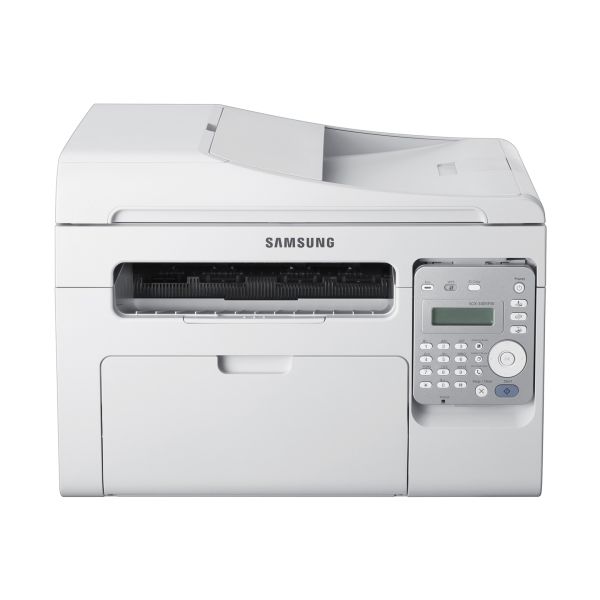
If you need a mono laser MFP for light-duty printing in a micro office or as a personal printer in any size office, the Samsung SCX-3405FW ($200 street) should grab your attention.Small enough to share a desk with, it offers wired and WiFi network support;
13 years ago
Windows XP Professional, Windows Pro 8, and Mac OSX 10.8. This was all done via the included installer disc, but first connecting the printer to the network wirelessly via the WPS button on the printer and my router. EASY PEASY!

13 years ago
GREAT PRICE FOR MULTIFUNCTION LASER PRINTER
ALL AROUND LOVE THIS PRINTER SO FAR, JUST GOT IT ON 2-17-13. COMPACT SIZE, QUICK RESPONSE TIME, GREAT PRICE, WORKS GREAT. THANK YOU SAMSUNG FOR DEVELOPING THIS GREAT LITTLE MULTIFUNCTION PERFECT FOR HOME USE. AND LETS NOT FORGET SAMSUNG MOBILE PRINT APP! WORKS GREAT!

12 years ago
Works great wirelessly from multiple devices. Has been used daily for approx. 3 weeks so far with no problems whatsoever. Most capable unit I could find in this price range. (around a hundred bucks) I'm very happy with it so far.

11 years ago
Good value for money
Good value for money, good print and scanning quality, wireless works well. Could have been engineered a bit better (the mechanism for opening it up to get the toner out isn't very good).
14 years ago
Samsung SCX-3405W
The SCX-3405W is a good, versatile, mono laser all-in-one, where Samsung has obviously worked hard to provide an enhanced set of eco-facilities in what is still a very low cost machine.
Pros:
- Good quality black print
- Useful eco-driver options
- Convenient control panel
Cons:
- Flimsy paper support
- No paper tray cover
- Default duplex a nuisance

14 years ago
Samsung SCX-3405fw Review: An Ultra Compact MFP
The SCX-3405fw takes it up a notch as far as functionality and features while still providing reliable, consistent prints.
Pros:
- Print quality
- All-in-one toner cartridge
- Ultra-compact
Cons:
- Manual Duplexing
- No front side USB

14 years ago
good printing; no scanning without WPS
So far this multi-function printer has suited my needs well. My main priority was having a wireless printer and while it took me a bit of time to set up the wireless functionality, it is very effective for that purpose.
Pros:
- easy to use
Cons:
- needs wps for scanning

13 years ago
Bought this unit for a small-office environment for its low cost and maintenance. The wireless was needed for networking, but the printer is kept within arm's reach so the lack of a duplexer is not a real issue. The software is simple and easy to configure although not as sophisticated as Canon's.
Pros:
- Low cost
- Good quality
- Multi-function
- Automatic sheet feeder
- Wireless.
Cons:
- No duplexer
3.4
from 30 reviews
5
23.0%
4
30.0%
3
23.0%
2
3.0%
1
19.0%

