

Logitech MX Master 3

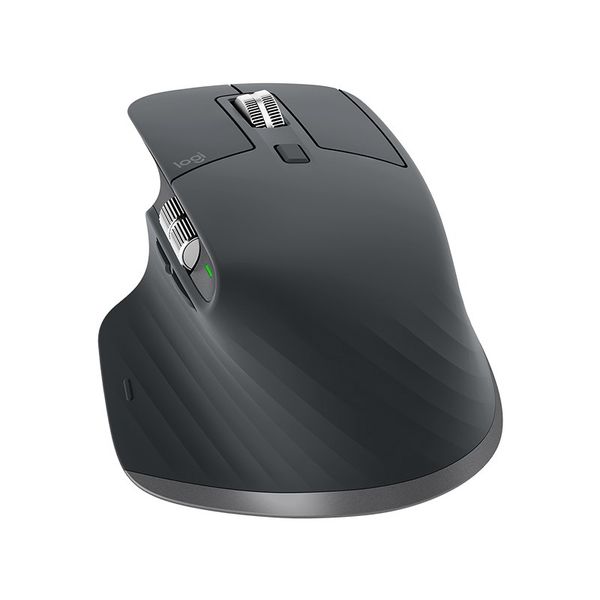
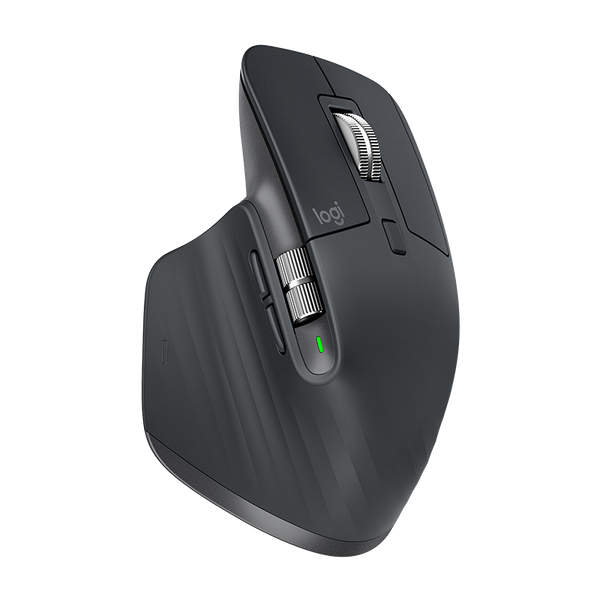
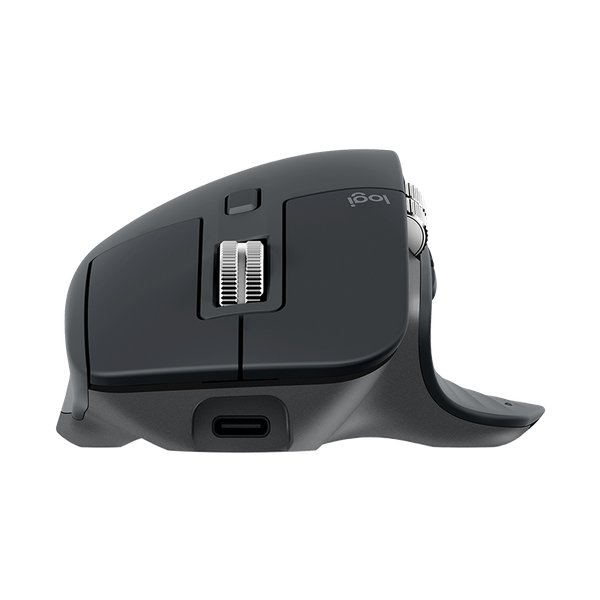
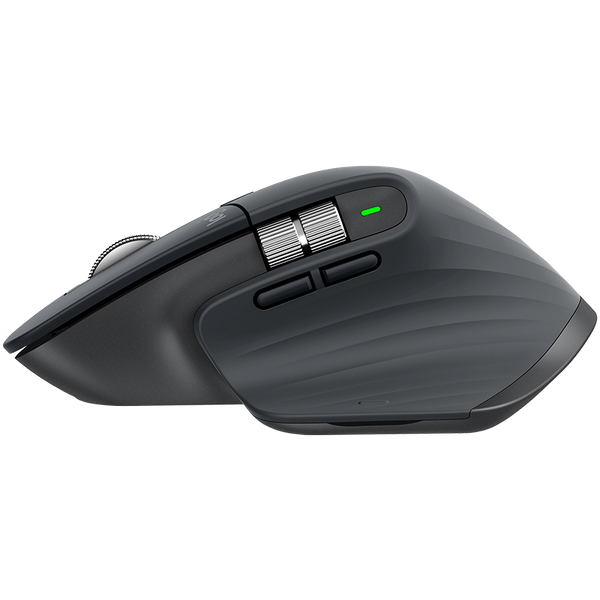

 $159.00 - $179.00
Reviews
Show product page
7 years ago
Logitech MX Master 3 Advanced Wireless Mouse 910-005698 review
Given how much time we spend with our hands on a keyboard and mouse, it’s no surprise that people take peripherals seriously, and it’s just that audience that Logitech is targeting with its new MX Master 3 range.
Pros:
- MagSpeed wheel is fast
- smooth
- and precise
- Huge amount of customization potential
- MX Keys sensor system is smart
- Both affordable for peripheral enthusiasts
Cons:
- $200 for both is expensive for mass-market users
- Keyboard weight makes it a pain to carry

6 years ago
Logitech MX Master 3 Advanced Wireless Mouse 910-005698 review
Logitech MX Master 3 is what the company calls an advanced wireless mouse. But this is not the first from Logitech and the MX Master 3 ...
6 years ago
Logitech MX Master 3 Advanced Wireless Mouse 910-005698 review
Como ya he comentado, la realización y edición de este artículo se ha realizado íntegramente con el MX Master 3, y la experiencia ha sido fantástica. Además, lo he utilizado para mi otra labor, la programación, donde ha mejorado mi productividad.
Pros:
- Gran calidad de fabricación
- tanto en materiales como en la precisión de sus piezas
- 2 ruedas y 7 botones totalmente configurables
- incluso a nivel de aplicación
- Soporte para 3 dispositivos BT/Unifying
- Logitech Options/Flow permite mejorar la productividad y funcionalidad
- 70 días de uso con una...
Cons:
- El soporte para Linux lo convertiría en un producto perfecto

7 years ago
Logitech MX Master 3 Wireless Mouse Review
The MX Master 3, Logitech's latest revision of its classic productivity mouse, gets a tuneup that makes you feel like a power user with minimal effort. How do you improve on something that already does exactly what you want it to? Logitech's MX Master mice have long been favorites for productivity hounds who want to read, process, and produce as much as they can, as fast as they can. (That may sound like most people these days, but not everyone buys a mouse over it.) Logitech's newest flagship MX mouse, the $99.99 MX Master 3, reinforces the series as the go-to for powerful office peripherals. Small tweaks make it even easier and more comfortable to use. Plus, a new software perk makes advanced customization more accessible, so even non-tweakers can streamline their workflow and find their groove. Whether you're a multitasking maven or simply have the workload of one, this mouse is worth splurging on. Scroll Faster, Master In a lot of ways, the MX Master 3 isn't far from rest of the MX Master family. Like the MX Master 2S, it's a right-handed eight-button mouse with a large thumb wing. On top, it has two click panels, a clicka...
Pros:
- Super-comfy sculpting
- Electromagnetic scroll wheel allows for precise or freewheeling motion
- Downloadable profiles for popular apps
- Works across up to three devices, and even between OSs
- Superb rated battery life
Cons:
- Connectivity suffers a bit when connected to multiple devices via wireless adapter

7 years ago
Logitech MX Master 3 review: A marvelous mouse
Pros:
- Comfortable ergonomic design
- Can be used on mulitple computers simultaneously
- Highly customizable
Cons:
- Expensive

6 years ago
Logitech MX Master 3 Advanced Wireless Mouse 910-005698 review
Since switching to Apple Mac for over a decade now, it is only just recently that I decided to step back in the Windows PC camp once again to scratch that gaming itch once more. With both systems now surrounding my desktop, I was getting sick of having multiple keyboards and mice hanging around, so...
Pros:
- Precision scroll wheel
- Long battery life and fast charging
- Multi-system support
Cons:
- Large size may not suit some people
- Mid Grey looks a little cheap
- Certain app functions can be hit n miss

6 years ago
Logitech MX Master 3 Advanced Wireless Mouse 910-005698 review
The MX Master 3 is easily one of the best mice we've seen this year. Logitech has absolutely surpassed all expectations, building on previous successes and making worthwhile improvements to deliver one of the standout office mice any big manufacturer has to offer.
Pros:
- Ergonomic shape makes it incredibly comfortable
- Logitech Options software is insanely versatile
- Brilliantly precise
Cons:
- Pretty expensive
6 years ago
Logitech MX Master 3 Review
The MX Master 3 is easily one of the best mice we've seen this year. Logitech has absolutely surpassed all expectations, building on previous successes and making worthwhile improvements to deliver one of the standout office mice any big manufacturer has to offer.
Pros:
- Ergonomic shape makes it incredibly comfortable
- Logitech Options software is insanely versatile
- Brilliantly precise
Cons:
- Pretty expensive

6 years ago
Logitech MX Master 3 Advanced Wireless Mouse 910-005698 review
I was already a fan of Logitech’s MX Master mice and I’m still a fan. The MX Master 3 mouse itself has what seems like a minor design change with its back/forward buttons, but I think it is an improvement. The Logitech software makes it simple to customize the buttons and scroll wheels.
Pros:
- Comfortable
- Easy to customize buttons and scroll wheels
- Easy Flow allows for quick switching between Macs
Cons:
- Right-handed use only
- Quirks with the Easy Flow file transfers
5 years ago
Logitech MX Master 3 Review
The MX Master 3, Logitech's latest revision of its classic productivity mouse, gets a tuneup that makes you feel like a power user with minimal effort. How do you improve on something that already does exactly what you want it to? Logitech's MX Master mice have long been favorites for productivity hounds who want to read, process, and produce as much as they can, as fast as they can. (That may sound like most people these days, but not everyone buys a mouse over it.) Logitech's newest flagship MX mouse, the $99.99 MX Master 3, reinforces the series as the go-to for powerful office peripherals. Small tweaks make it even easier and more comfortable to use. Plus, a new software perk makes advanced customization more accessible, so even non-tweakers can streamline their workflow and find their groove. Whether you're a multitasking maven or simply have the workload of one, this mouse is worth splurging on. Scroll Faster, Master In a lot of ways, the MX Master 3 isn't far from rest of the MX Master family. Like the MX Master 2S, it's a right-handed eight-button mouse with a large thumb wing. On top, it has two click panels, a clicka...
Pros:
- Super-comfy sculpting
- Electromagnetic scroll wheel allows for precise or freewheeling motion
- Downloadable profiles for popular apps
- Works across up to three devices, and even between OSs
- Superb rated battery life
Cons:
- Connectivity suffers a bit when connected to multiple devices via wireless adapter
4.6
from 26 reviews
5
35.0%
4
64.0%
3
0.0%
2
0.0%
1
0.0%

