

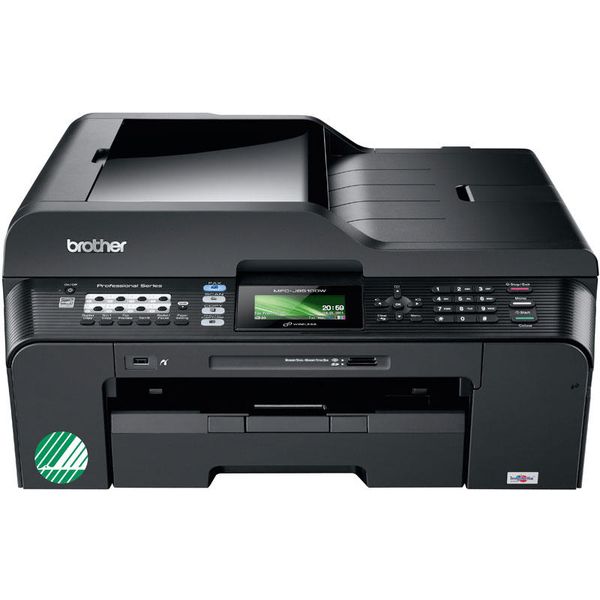
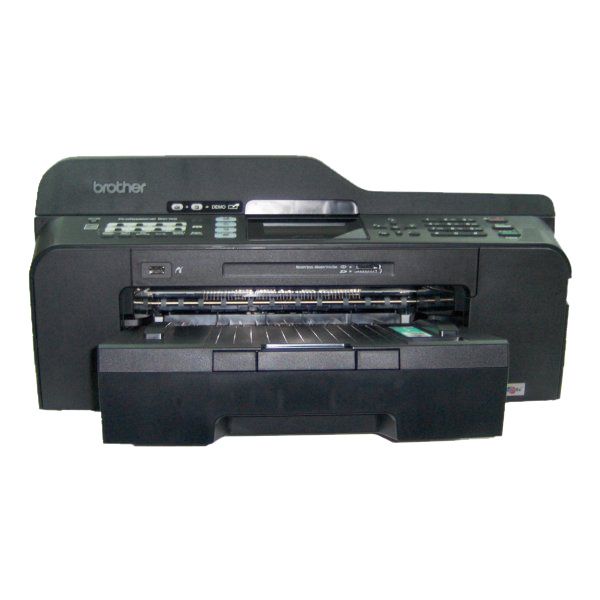
Brother MFC-J6510DW

 $257.89
Reviews
Show product page
14 years ago
Worth Every Penny
Brother has proved to me that they can make an excellent product, I've pushed this unit onto many other artists and illustrators... everyone of them has thanked me for letting them know about product.
Pros:
- A3 high resolution scanner
- pretty speedy scanning a full color (24bit) 11x17 @ 600 x 600dpi over wireless connection (avg about 23 seconds via twain in photoshop.) I've never experienced connectivity issues over wireless when printing from Desktop
- 2 separate laptops
- or my smartphone.
Cons:
- Single sheet feeder is a little tricky, sometimes it will misfeed thicker papers
- To solve this apply a little pressure on the paper when inserting into single sheet feeder, the feeder will recognize the paper and pull it in a little bit
- Once it's "loaded" properly in place you're all set.

14 years ago
Brother MFC-J6510DW Review
A4 multifunction printers (MFPs) are two a penny at the moment, making it extremely easy to find something within your price range that will have as many bells and whistles as your home office or small business requires.
13 years ago
BROTHER BEATS THEM ALL
For many years I have used nothing but BROTHER MULTI FUNCTION MACHINES, but a few months ago I tried another brand and in 3 months I used more ink than I would with a Brother in 3 years. This new machine the Brother MFC - 6510DW is the most Professional unit that I have the prvilage to use.
13 years ago
I returned the first printer (same model) to the shop after it breaking my heart, constantly getting "paper jams" yet the paper was never jammed. Tried new paper even. The replacement is giving me similar errors all the time and the print constantly runs from one page into the next, ie.
Pros:
- It works most of the time
Cons:
- Paper feed is constantly breaking down

13 years ago
Brother MFC-J6510DW
The Brother MFC-J6510DW is very similar to the Brother MFC-J6910DW (the same tech specs, motor, cartridges) but with a few minor differences. Design and Build.
Pros:
- Low cost of printing per page with XL cartridges
- Colour screen / Wi-Fi
- A3 / Double-sided printing
- Good print speeds with office docs
- Two cartridge sizes to choose from / Cartridges are easily accessible at the front of the printer
Cons:
- Print quality could be better with office docs
- Scanner and copier aren't on par with print quality
- Some paper blockages
- Slight red overtone to photos

13 years ago
The copier is reliable and easy to clear if the rare paper jam occurs. I like the ability to purchase separate color cartridges, rather than discarding a tricolor cartridge with only one color fully used.

13 years ago
Excellent vallue for money
Very efficient and fast printer. The quality of the colour is very good. Very pleased with the purchase. Printer is slight bigger in size then expected bu it functions really well. The set up was quick for the wi-fi.
13 years ago
"I wish my Brother worked as hard as this!"
Having started my little business working from home, i decided to buy a 'little' printer, essential for all the printing tasks i had in mind....opting initially for a Kodak multi functioning unit.
Pros:
- Hard working
- reliable
- great quality multi functional
Cons:
- Heavy! Big and the photocopying is sooo slow

13 years ago
Ledger Printer
It is a great printer. It was easy to set up even as a wireless device. Meets my needs as a 11x17 printer. Speed is reasonable. Would recommend this to anyone with a medium workload.
12 years ago
quite satisfactory
Basically this matches the work done on my MFC-6490DW. Had problems setting it up, but a most helpful Brother tech person got me through that quick. Nice to see 'descreen' as I digitise lots of mag articles p'copies
3.8
from 24 reviews
5
31.0%
4
36.0%
3
18.0%
2
4.0%
1
9.0%

