

With more Kiwis working from home these days, having hard copies of your stuff can really come in handy. If it’s only saved on your computer, one dodgy power surge could wipe out that essay, budget spreadsheet, or treasured family photo.
The good news is printers have come a long way — they’re cheaper, easier to move around, and do more than just print. Keen to find the right one for your setup? We’ve put together a simple guide to help you suss out your options.
Choosing a Printer: Inkjet or Laser?
If you're looking to buy a printer, the first thing to figure out is what type suits you best. Most homes and small offices in New Zealand use inkjet printers. They work by spraying tiny drops of ink onto paper, following the pattern your computer sends.
Laser printers are a bit different. They use a laser beam to transfer your document onto the page. The tech behind it is clever, but you don’t need to know all the nuts and bolts. What matters is that it works well and often saves money over time.
Cost and Speed
Laser printers use toner instead of ink. Toner cartridges cost more upfront, but they last way longer — some can print over 1,000 pages. Compare that to the 100 or so pages you’ll get from a standard ink cartridge, and you’ll see why laser can be cheaper in the long run. Plus, laser printers are usually quicker at printing, which is handy if you’re churning out lots of pages.
Downsides of Laser
Laser printers do cost more to set up, especially if you want one that prints in colour or does scanning and copying too. And if you're printing photos, inkjets tend to give better results. That said, there are exceptions. A top-end inkjet will beat a budget laser printer any day, so it pays to do your homework.
What’s Right for You?
Think about what you’ll be printing. If it’s mostly black-and-white documents and you print heaps, go for a laser. If you only print now and then, and you want colour too, an inkjet might be the better choice.
Budget-Friendly Inkjet printers (Under NZD $300)
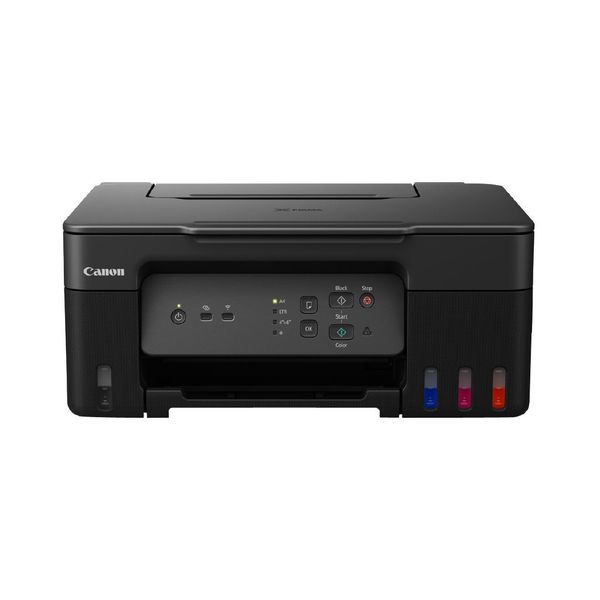
🖨️ Canon PIXMA G3630
👍 Pros
- Refillable ink tanks — way cheaper than cartridges over time
- Prints up to 3,100 pages in black and 4,400 in colour with the ink included
- All-in-one: print, scan, copy
- Wi-Fi and mobile printing support (AirPrint, Mopria, Canon PRINT app)
- Borderless photo printing up to 4800 x 1200 dpi
- Easy setup with Canon Print Assist
- Auto on/off to save power
👎 Cons
- No fax function
- Slower print speed (11 ipm black, 6 ipm colour)
- No automatic document feeder (ADF) — scanning multipage docs takes longer
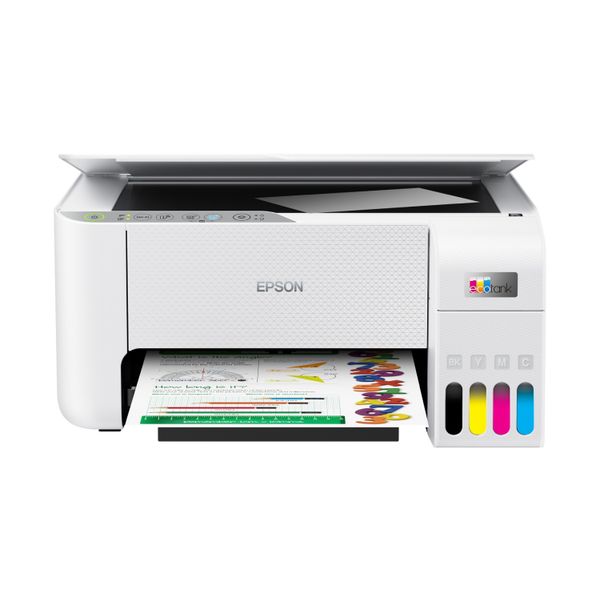
🖨️Epson EcoTank ET-2810
🟢 Best For: students, families, and home offices; anyone tired of buying expensive ink cartridges; light to moderate printing needs.
👍 Pros
- Refillable ink tanks — no more pricey cartridges
- Comes with enough ink to print up to 3,600 pages in black and 6,500 in colour
- Compact and lightweight — good for small home setups
- Supports Wi-Fi and mobile printing (Apple AirPrint, Google Cloud Print, Epson Smart Panel app)
- Decent quality for everyday documents and casual photo printing
👎 Cons
- No display screen — setup and controls are app-based
- No automatic double-sided printing
- Slower print speeds compared to higher-end models
- No scan-to-email or advanced features
Mid-to-premium Inkjet printers (from NZD $500)
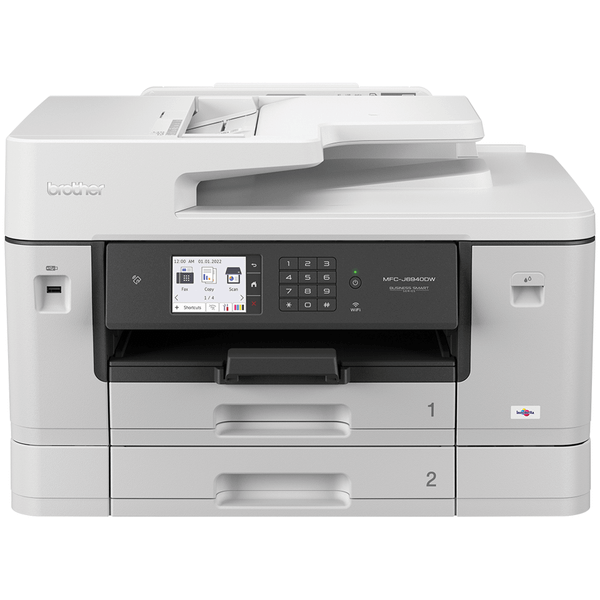
🖨️ Brother MFC-J6940DW
🟢 Best For: small businesses or home offices; folks who print lots of documents, including A3; users who want low cost per page and solid speed.
👍 Pros
- A3 printing support — rare at this price point
- Fast print speeds (up to 35 ppm)
- Duplex printing and scanning (double-sided)
- Large paper tray (up to 500 sheets)
- Low running costs with INKvestment Tank cartridges
- Good for high-volume printing
👎 Cons
- Bigger footprint — takes up more desk space
- Not ideal for photo printing
- Higher upfront cost compared to basic inkjets
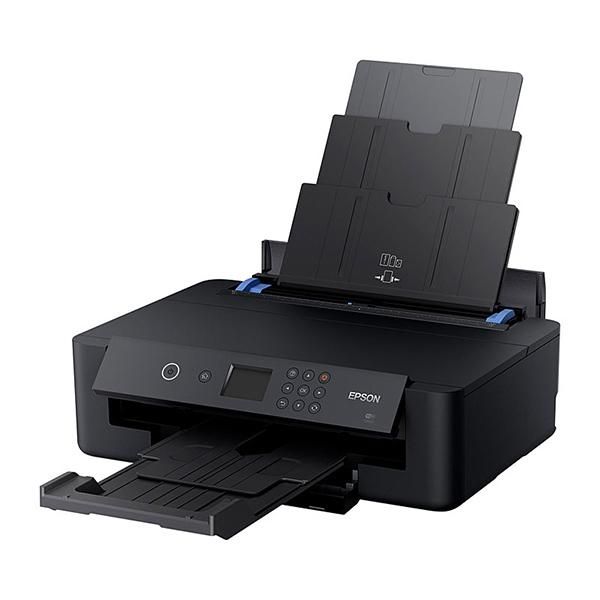
🖨️ Epson Expression XP-15000
🟢 Best For: photography enthusiasts; creative professionals; anyone wanting gallery-quality prints at home.
👍 Pros
- Wide-format printing up to A3+ size
- Uses 6 individual Claria Photo HD inks — including red and grey for better colour depth and black-and-white tones
- Excellent photo quality with rich colours and sharp detail
- Compact for a wide-format printer
- Wireless printing with support for AirPrint, Google Cloud Print, and Epson iPrint
👎 Cons
- Ink can be pricey — especially with 6 cartridges
- No scanner or copier (print-only)
- Slower than office-focused models
- Not ideal for high-volume document printing