

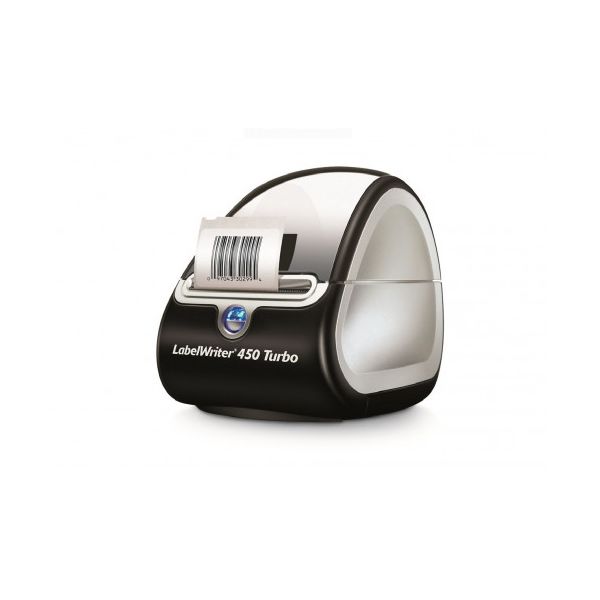
Dymo LabelWriter 450 Turbo

Reviews
Show product page
12 years ago
works as advertised
simple easy to connect and use
12 years ago
Dymo LabelWriter 450 Turbo Review
The Dymo LabelWriter 450 Turbo delivers fast speed for printing on a variety of labels, including postage labels by way of the Endicia Web site. One way to think about the Dymo LabelWriter 450 Turbo($149.95 at Amazon) is that it's effectively one half of the Editors' Choice Dymo LabelWriter 450 Twin Turbo, with one printer mechanism instead of two. Another is that it's a faster version of the Dymo LabelWriter 450($76.74 at Amazon), with much the same capability, but with faster printing and able to print postage without needing an upgrade. Either way, it's a fast desktop label printer that can make printing labels and postage quick and easy. Unlike some of its competition, notably the Editors' Choice Brother QL-700, the 450 Turbo lacks an automatic cutter. However, as I pointed out in my review of the Dymo 450, that's not really a problem, since the label roll tears off both cleanly and easily enough by hand. A more important issue the 450 Turbo shares with the Dymo 450 is that changing rolls is harder than it could be. Brother, for example, sells its label rolls complete with spools, so you can switch label types simply...
Pros:
- Comes with excellent label-printing program plus driver and add-ins for Word and Excel
- Prints postage
Cons:
- Word add-in doesn't integrate smoothly with Word

12 years ago
DYMO 1752264 Labelwriter 450
I got the Dymo label maker because of the customizable size. I have shopped around quite a bit, looking through online sites such as Staples, OfficeDepot, Bestbuy, TigerDirect, but decided just to go with the one from JR. The price of this label maker is just $89.99.
12 years ago
Dymo LabelWriter 450 Duo
Like the Editors' Choice Dymo LabelWriter 450 Twin Turbo , the Dymo LabelWriter 450 Duo combines two printers in one case. Unlike the 450 Twin Turbo, however, the 450 Duo offers two different kinds of printers, rather than two of the same.
Pros:
- Comes with excellent label-printing program plus driver and add-ins for Word and Excel
- Prints on both paper and plastic labels
Cons:
- Word add-in doesn't integrate smoothly with Word

13 years ago
Dymo Labelwriter 450 Duo Label Printer
This Dymo 450 Duo labelwriter has superb, laser sharp, 300dpi print quality. I can print permanent D1 labels in a variety of sizes and colours, perfect when you need durable labels.
14 years ago
DYMO LabelWriter 450 Duo
This label printer is a so-called thermal printer. Now I'm not an expert on these printers but I understand that this means that the labels are being printed by using heating at very small areas as they create a letter or image.
14 years ago
Makes it perfect for use with DYMO Postage. When you don't need fancy shipping labels, Dymo Postage can be a free service, just buy a roll of postage stamps. Print whatever amount you need. And the Laminated Labels is a great bonus !

14 years ago
Printing with the dymo is pretty speedy
"Christmas 2010 I asked my dad for a label printer as I run a small handmade clothing business and needed something for printing address labels. I was shocked when he bought me this model as it was a high end label printer. INFORMATION: --------------------------------- This printer doesn't use ink.
Pros:
- prints brilliantly and no need to buy ink
Cons:
- cables are pointlessly long

14 years ago
Dymo Labelwriter 450 Turbo
Nice well made and unobtrusive machine which produces crisp dry clear labels at a rate of Knots. Only downside was Dymo support. Could not get new V8 software to run and it caused Outlook to crash unless I disabled add -on.
15 years ago
A Specialised Printer : Dymo LabelWriter 450
Dymo have priced the LabelWriter 450 at £93.99. You will need to purchase the special labels required for this thermal printer. A roll of address labels, containing 260 labels, is priced at £22.18 while a roll of 220 name badge labels costs £19.73.
4.1
from 22 reviews
5
47.0%
4
15.0%
3
31.0%
2
0.0%
1
5.0%

