

Wacom Intuos Pro PTH-450

Reviews
Show product page
10 years ago
Great
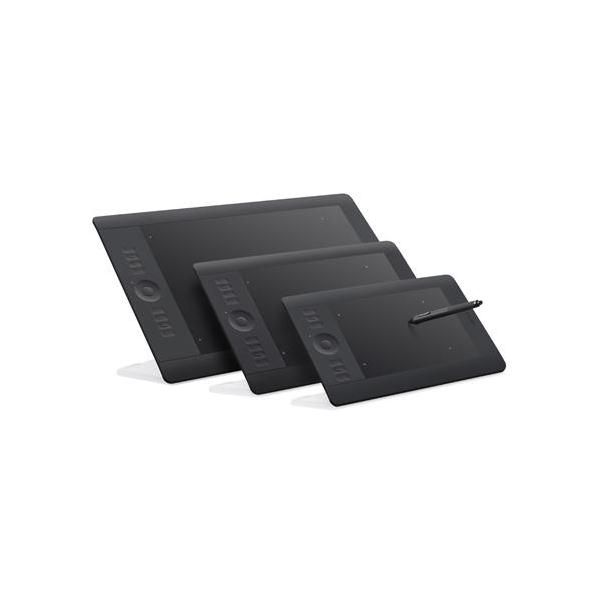
Works great, just not the right size for me. If you need something portable, then this is the tablet for you. If you're going to be at a desk all the time, go for the larger tablets. The bigger the tablet the more control you have over your strokes.
11 years ago
I like it!
I use with Photoshop CS 6<br />I like the finger control and ability to flip screen to any angle.<br /><br />Depending on the browser, finger tap sensitivity can vary.
Pros:
- Easy To Set Up
- Easy To Use
- Fast
- Great for Photoshop
- Powerful
Cons:
- Tap Sensitivity Varies


13 years ago
Great tablet!
I found out the hard way that the small version is nearly impossible to use on a 30" 2560x1600 monitor. Every small movement - including unwanted hand shakes - gets magnified on the screen.
Pros:
- The Intuos5 tablets are the best screenless tablets you can get
Cons:
- The drivers have a well-known bug in Windows
- If you experience lag and/or inaccurate lines, go to Control Panel -> Pen & Touch and disable "press and hold" for right click, and disable flicks
- That should solve it

13 years ago
Fantastic product!
I was more than impressed with the watcom intuis 5. The product arrived safely and quickly from Germany, and was far more than I expected. It is the first tablet I have used and I don't know how i worked without this before. Very pleased :)
13 years ago
This drawing tablet is wonderful!
I first used the Wacom Intuos5 at school in my animation class and really liked it. My reason for getting it is that I had to commute to school to use one and the drive was eating up my gas quite a bit so I decided to get my own so I could work from home.
Pros:
- The design is great
- the setup is simple
- and it really is easy to use
Cons:
- I don't like the fact that my hand/finger can brush against it and interfere with the pen's work.

14 years ago
nice product
It is on the expensive end of the tablet. But you get what you paid for. The pen control is precise, and easy to work with. The new touch feature is good to have, but I found it hard to work with compare to using the pen. Wireless option is handy.
14 years ago
Am pleased with Intuos5 Touch Tablet. Replaces my Intuos4. Especially like wireless capability - bought separately from Wacom. Intuos5 works as was expecting/hoping. The wireless features are also as was expected/hoped for. Was introduced to Intuos5...
4.3
from 8 reviews
5
62.0%
4
25.0%
3
0.0%
2
0.0%
1
12.0%

