

ViewSonic TD2220 21.5in

 $540.00
Reviews
Show product page
13 years ago
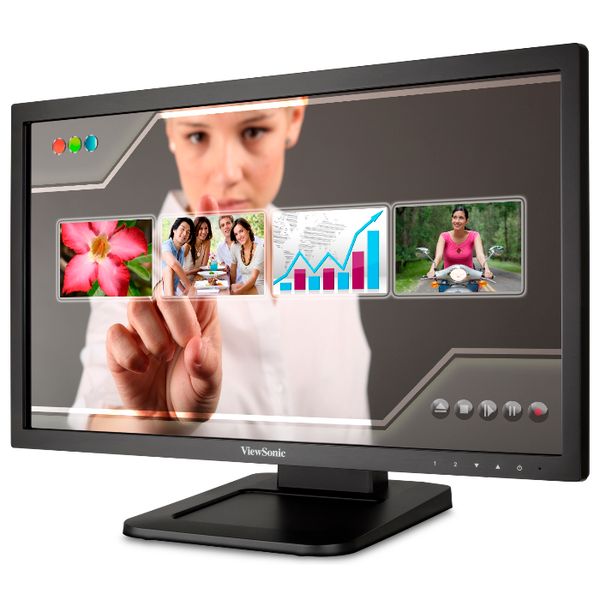
The ViewSonic TD2220 is an optical HD touchscreen with a standard contrast ratio but a dimmer screen than other monitors we reviewed. It doesn't come with a stylus, but you can use one if you want.
Pros:
- This touchscreen monitor works with a PC or a Mac
- Additionally, it has a high-definition screen and a fast response time
Cons:
- The viewing angles for this monitor aren't as wide as the viewing angles on some of the other monitors we reviewed
- Also, the screen can't exceed 200 candela per square meter, which isn't dim, but many of the other monitors' screens can be much brighter

13 years ago
ViewSonic, the leading global industry player in the dynamic domains of visual display products and consumer electronics, has expressly been a pioneering monitor brand in worldwide markets, spearheading the visual revolution and blending information with entertainment to transform the orientation of

13 years ago
Viewsonic TD2220
Touch-screen monitors have been around for years but until recently have been almost exclusively used for commercial purposes, most notably in information kiosks, banks, and the food service industry.
12 years ago
Warning: shiny screen
Unless you're a fan of glossy screens, plan to spend money and time for an anti-glare film to stick to the surface. It is difficult to apply a filter to such a large screen even with an abundance of caution and patience. Can we start listing glossy/matte finish in product specifications, please
Pros:
- Single-point touch works quite well in Linux
- It also works when used as part of a multi-monitor array once you've configured the xinput device with the right coordinate transformation matrix
Cons:
- The glossy finish gave me headaches until I bought an expensive anti-glare film
- Now the viewing angle has suffered somewhat when compared to the inexpensive matte-finish monitor next to it.

11 years ago
Nice if it is what you want
Make sure you want touch and you want it using this monitor.
Pros:
- Does what is says
Cons:
- No HDMI support Size
- Wider and not as high as other 22" monitors
- Text seems small Software seems to be a little old perhaps, but all you have to do is hook up the DVI connection and the USB cable (otherwise no touch) Are you sure you really want a touch monitor

13 years ago
Viewsonic TD2220
Touch-screen monitors have been around for years but until recently have been almost exclusively used for commercial purposes, most notably in information kiosks, banks, and the food service industry.
Pros:
- Responsive touch screen
- Good color and text quality
- Energy efficient
Cons:
- No HDMI port
- Narrow viewing angles
- Not Windows 8 certified
13 years ago
Viewsonic TD2220 Review
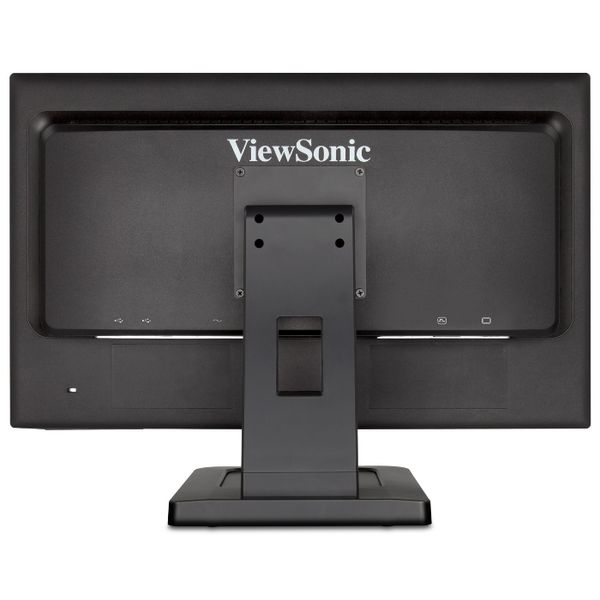
The Viewsonic TD2220 is a responsive 22-inch touch-screen monitor that delivers bold colors and crisp text. However, its off-angle viewing performance is less than optimal, and it is not Windows 8 certified, though it does work with the OS. Touch-screen monitors have been around for years but until recently have been almost exclusively used for commercial purposes, most notably in information kiosks, banks, and the food service industry. Now, with Windows 7 and Windows 8 offering built-in support for multi-touch applications, touch-enabled monitors are finding their way into the mainstream in large numbers. One such model, the Viewsonic TD2220($314.09 at Amazon), is a 22-inch touch-screen monitor that offers multi-gesture touch capabilities as well as good color and small text quality. It doesn't cost much to run, either. It's missing an HDMI port and the picture loses luminance when viewed from an angle, however. And, although it works with Windows 8, it is not Windows 8 certified. Design and Features The TD2220 uses a 22-inch (21.5-inch viewable) TN panel with a 1,920-by-1,080 resolution and a 16:9 aspect ratio. The panel is a two-point touch panel, which means it can recognize two touch commands simultaneously a...
Pros:
- Responsive touch screen
- Good color and text quality
- Energy efficient
Cons:
- No HDMI port
- Narrow viewing angles
- Not Windows 8 certified

13 years ago
Great touch screen and fetures
This monitor works great, the touch screen and gestures work good the only thing the bezel could be thinner around the edge I know most of them are not but soon they will be making them with no bezel for better touch. I would recommend this Touch screen monitor. works great with windows 8.
9 years ago
Works Well for Live Production
Bought this monitor to use in conjunction with a Martin m-seies lighting console. No drivers nessesary out of the box on my Windows 10 pc. Could not e happier right now.
9 years ago
Affordable Touchscreen
This monitor has a great picture, either VGA or DVI inputs, built-in audio amp & speakers - and is a multi-touch screen. We've only just begun using it, but installation on a run-of-the-mill Windows 7 PC was effortless.
4.2
from 18 reviews
5
43.0%
4
25.0%
3
31.0%
2
0.0%
1
0.0%

