

TP-Link TL-WR1043ND

Reviews
Show product page
13 years ago
This is a great router! I am very satisified..
The TP-Link 300 Mbps wireless N Router (TLWR1043ND) replaced a Netgear WPN824 which is a "G" router. Router location is the same for both routers (upstairs in the office). With the Netgear reception downstairs was spotty with random connections. With the TP-Link it is rock solid.
13 years ago
very good product
i bought this router after looking for and reading reviews of just about very router out there(just a few days of looking and reading LOL). in my opinion a very good router, not as easy as plug and play, i had to reconfigure some setting in my modem setting and did alittle research online to figure...
13 years ago
TP-LINK TL-WR1043ND 300 Mbps Wireless Gigabit Router
Ideal for home/small office use,
Pros:
- excellent coverage and you can download files from the USB connection through wifi
Cons:
- nothing

13 years ago
excellent price/ for excellent router
make sure you investigate the review for this product TL-WR1043ND for the price you can't go wrong .love the 3 adjustable omni direction antenna ...you might have too cycle your power a few times once you have installed your specs on the software..
12 years ago
Simple and easy to set up and use. Works a treat.
Simple and easy to set up and use. Seems to be very powerful as it has excellent range. Works a treat.
12 years ago
Bang for YO buck!
Listen, for the price, this thing is a easy buy... With all the options that you get I still find it hard to believe that it is so cheap in price. Honestly, for the price, you get a LOT with this device. It'll check off all the boxes that you could possibly have in your mind.
Pros:
- Worked RIGHT out of the box, didn't have to use the cd either. I have two separate internet connections at my home/office and this router liked them both. One is cable internet with a Dynamic address and the other is wireless based that is static
- both worked fine without a hitch.
Cons:
- Web interface
- while slick
- might be a little intimidating for some
- as it has LOADS of options

12 years ago
The set up CD didn't work with my desktop as mine is an old HP Compaq Presario desktop PC. But using Windows 7 wirelesss router set up wizard, it took a just over a min for me to get the router all set and running.

11 years ago
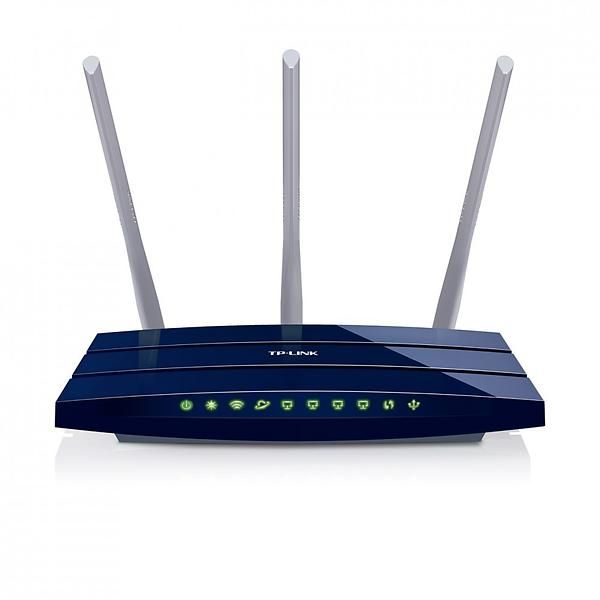
TP-Link TL-WR1043ND Wireless N Gigabit Router - Blue
Absholding : I Recommend they deliver the item untouched and sealed..
Pros:
- Easy Set-up and Fast wireless speed
Cons:
- I still don't know.

10 years ago
good purchase.
connected to virgin superhub which is in 'modem' mode. After playing with lots of settings, I learnt that that WAN IP should be set as 'Dynamic'. You may not see an IP address right away, in that case restart your superhub and then it works. A Internet address will be auto assigned.
10 years ago
Best Router
Great and powerful router for the cost! Looks awesome, super easy setup, and tons of features to program the router with. So happy with this purchase!
4.2
from 43 reviews
5
47.0%
4
36.0%
3
2.0%
2
5.0%
1
8.0%

