

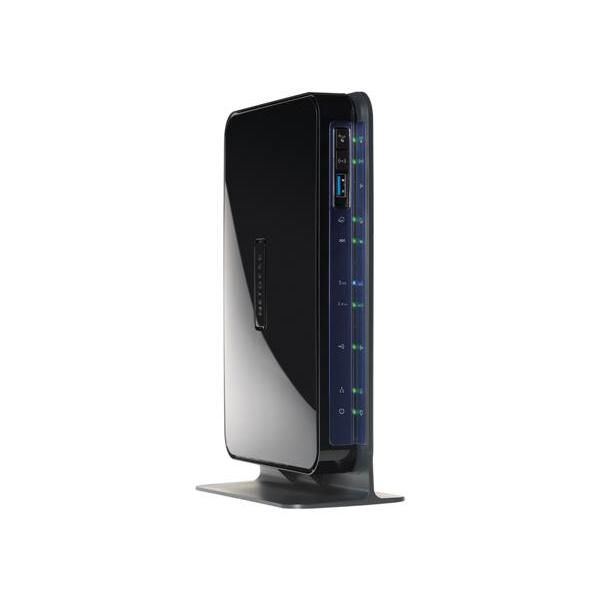
Netgear DGND3700

Reviews
Show product page
12 years ago
Netgear N600 DGND3700v2
Netgear N600 modem is very easy to set up. Its wifi both 2.4 and 5 ghz is fast. It is connecting to MacBook, Laptop, iPhone, Android phones without any hassle. Its ADSL interface is bare minimum and does to provide debugging info.
Pros:
- Easy To Set Up
- Fast
- Highly Compatible
- Secure
Cons:
- Bulky

12 years ago
Worst router ever made, stay away.
I bought a Version 1 DGND3700 over a year ago that never worked correctly, it was replaced and the new one had the same issues that are known across the community of customers. Since this was an on going issue that was never resolved I figure Netgear would fix it or replace it, I was proven wrong...
12 years ago
Worst router ever made, stay away.
I bought a Version 1 DGND3700 over a year ago that never worked correctly, it was replaced and the new one had the same issues that are known across the community of customers. Since this was an on going issue that was never resolved I figure Netgear would fix it or replace it, I was proven wrong...
Pros:
- Features
- Quiet
- Design
Cons:
- Performance
- Expensive
- Build Quality

12 years ago
NETGEAR N600 DGND3700 Wireless-N Dual Band Modem Router + 4-port switch
Really disappointed with this modem/router. Would have thought Netgear would do better. Am in the process of returning it to see if there is actually something wrong with it
Pros:
- Looks nice
Cons:
- The range is terrible
- Worse than "el cheapo" modem/router supplied by broadband supplier.

13 years ago
Abundance of useless features, lack of useful features.
The Good. 1. Modem and Router in ones with dual band decent web GUI setup solution. 2. SPI and NAT filtering firewall. 3. Guest network, access on either or both bands. The Not So Good. 1. No VPN integration (Open VPN) native support highly recommended. 2. Over complicated setup.
13 years ago
A good router with superb speeds
I have been using the product for over 4 months now and I am quite satisfied with it. I use reliance broadband connection and following devices are always connected: 1. Macbook (5Ghz); 2. Apple TV (5Ghz); 3. Samsung TV (5Ghz); 4. PC (2.4Ghz); 5.
13 years ago
Not made for businesses
The Netgear N600 will not pass traffic to the rest of the network unless you use the DHCP function on the router. This is not an option for me (or anyone else who uses a Windows domain with DHCP and DNS communicating with each other).
Pros:
- Intuitive and easy-to-navigate GUI
Cons:
- Wi-Fi cannot browse the local network if you are not using DHCP on the router to handle your IP addressing
- This is a crucial flaw that means no one in my work network can use the wireless, as I have a separate Windows server handling DHCP duties

13 years ago
Check the Package Content
There is two versions of the modem Netgear DGND3700 and Netgear DGND3700V2
13 years ago
DSL Modem & Router
Have DSL service at home with a wireless network. Having just bought 2 new Dell laptops over the past several months I was looking to upgrade from wireless g to n. Because we are using DSL I could buy just a router - it had to be a DSL Modem/Router.
13 years ago
NETGEAR N600 Wireless Dual Band Gigabit ADSL 2+ Modem Router (DGND3700v2)
A few months ago we took a look at a high end router from Netgear, the WNDR4500 along with the accompanying USB adapter the WNDA4100. We found the combination of the WNDR4500 and WNDA4100 to offer great functionality with a simple set up process and exceptional wireless speed.
3.8
from 43 reviews
5
35.0%
4
30.0%
3
15.0%
2
10.0%
1
10.0%

