

Epson WF-3540

Reviews
Show product page
13 years ago
Epson WorkForce WF-3540
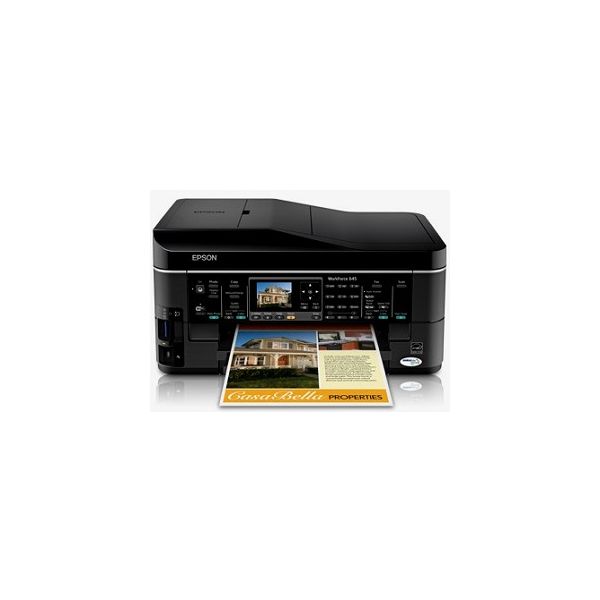
The Epson WorkForce WF-3540 excels in all manner of printing operations and has all the extras you need in terms of cloud printing and mobile printing software, as well as a touchscreen interface and speedy performance.
Pros:
- Cloud printing capabilities
- Extra-large capacity ink options
- Dual 250-sheet trays
- Standalone use via USB
Cons:
- Touchscreen angle prevents placing printer in high positions

12 years ago
Comprehensive feature set but falls short of being perfect
This was a replacement for a Kodak ASP9 - the feature set is pretty similar. As a standard printer and scanner it's pretty good, I've not really done any hi-res colour prints on it yet. Paper handling could be better. Only the top tray is able to take 5x4 photo paper.
12 years ago
replacement printer
We had an Epson WF 610 for the past few years when for some reason it wouldn't recognize the ink when we went to change it. We liked that machine & after some research decided to replace it with the Epson WF 3540.Many of the features are the same such as changing ink.
13 years ago
Review: Epson WorkForce WF-3540 All-in-One Printer
(1 items) If you're looking for a small office inkjet MFP with a comprehensive feature set that will handle more than minimal volume printing, the $200 (as of 2/1/2013) Epson WorkForce WF-3540 is a good place to begin. It's quick, and the output looks nice.
Pros:
- Automatic duplex printing and scanning
- Nice output quality
Cons:
- Ink prices are higher than average

13 years ago
If you're looking for a small office inkjet multifunction printer (MFP) with a comprehensive feature set that will handle more than minimal volume printing, the £129 Epson WorkForce WF-3540 inkjet printer is a good place to begin. It's quick, and the output looks nice.

12 years ago
Complete waste of money!
Biggest waste of money! It's a complete bag of poo! Is always off line and takes forever to wake up! reset printer, reboot pc, reset printer again! oh go on then I'll print a page but only after you've pushed a completely different button to last time.
Pros:
- Multiple Paper Trays
Cons:
- Save your money
- Wakeup
- Buy A Different Brand
- Always Offline
- Takes 20 Mins For It To
- It's Poo

13 years ago
Epson WorkForce WF-3540 Review
The Epson WorkForce WF-3540 is a little weak on text quality but its paper handling and MFP features make it an excellent fit for a micro office with heavy-duty needs. One step up in Epson's line from the Editors' Choice Epson WorkForce WF-3520 , the Epson WorkForce WF-3540 is similar to its less expensive sibling in most ways, but more appropriate for a different level of use. Both of these inkjet MFPs are aimed primarily at busy micro or small offices. But where the WF-3520 is also a reasonable choice for a personal or home office printer, it's hard to picture the WF-3540 in that role. It offers double the paper capacity, making it far more likely to wind up as a shared printer in a micro or small office with particularly heavy-duty needs. That's enough to put it in a different category, where it's also an Editors' Choice. Aside from paper capacity, the two models are functionally nearly identical. As with the WF-3520, the WF-3540 offers Ethernet and Wi-Fi for easy sharing on a network. It also offers the same basic MFP features, starting with printing and faxing from, as well as scanning to a computer, including over a network, and working ...
Pros:
- Prints, faxes, scans, and copies
- Unusually capable paper handling
- Wi-Fi
- Ethernet
- Prints through the cloud
Cons:
- Although good enough for most business needs, text quality is a touch below par
4.0
from 17 reviews
5
31.0%
4
50.0%
3
12.0%
2
0.0%
1
6.0%

