

Epson WF-3540

Reviews
Show product page
13 years ago
Epson WorkForce WF-3540 Review
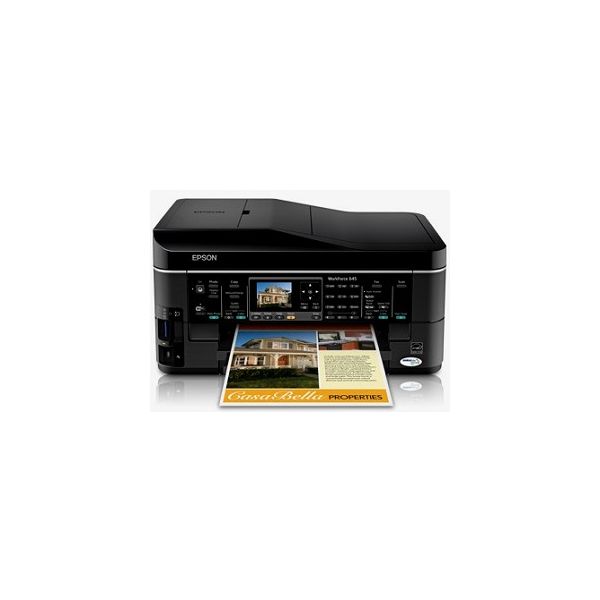
The Epson WorkForce WF-3540 is a little weak on text quality but its paper handling and MFP features make it an excellent fit for a micro office with heavy-duty needs. One step up in Epson's line from the Editors' Choice Epson WorkForce WF-3520 , the Epson WorkForce WF-3540 is similar to its less expensive sibling in most ways, but more appropriate for a different level of use. Both of these inkjet MFPs are aimed primarily at busy micro or small offices. But where the WF-3520 is also a reasonable choice for a personal or home office printer, it's hard to picture the WF-3540 in that role. It offers double the paper capacity, making it far more likely to wind up as a shared printer in a micro or small office with particularly heavy-duty needs. That's enough to put it in a different category, where it's also an Editors' Choice. Aside from paper capacity, the two models are functionally nearly identical. As with the WF-3520, the WF-3540 offers Ethernet and Wi-Fi for easy sharing on a network. It also offers the same basic MFP features, starting with printing and faxing from, as well as scanning to a computer, including over a network, and working ...
Pros:
- Prints, faxes, scans, and copies
- Unusually capable paper handling
- Wi-Fi
- Ethernet
- Prints through the cloud
Cons:
- Although good enough for most business needs, text quality is a touch below par

12 years ago
Complete waste of money!
Biggest waste of money! It's a complete bag of poo! Is always off line and takes forever to wake up! reset printer, reboot pc, reset printer again! oh go on then I'll print a page but only after you've pushed a completely different button to last time.
Pros:
- Multiple Paper Trays
Cons:
- Save your money
- Wakeup
- Buy A Different Brand
- Always Offline
- Takes 20 Mins For It To
- It's Poo

13 years ago
Review: Epson WorkForce WF-3540 All-in-One Printer
(1 items) If you're looking for a small office inkjet MFP with a comprehensive feature set that will handle more than minimal volume printing, the $200 (as of 2/1/2013) Epson WorkForce WF-3540 is a good place to begin. It's quick, and the output looks nice.
Pros:
- Automatic duplex printing and scanning
- Nice output quality
Cons:
- Ink prices are higher than average

13 years ago
If you're looking for a small office inkjet multifunction printer (MFP) with a comprehensive feature set that will handle more than minimal volume printing, the £129 Epson WorkForce WF-3540 inkjet printer is a good place to begin. It's quick, and the output looks nice.

13 years ago
Epson WorkForce WF-3540 review: A printer suitable for big business
Complete with wireless access, remote printing in the cloud, an interactive touch screen, and several paper trays, the Epson WorkForce WF-3540 is well-prepared to handle large workloads for home offices, corporate teams, and everything in between. The Epson WorkForce WF-3540 bundles an array of useful features to keep your office productive, including a top-loading auto document feeder, dual paper input trays, extra-large-capacity ink cartridges, and cloud printing access by way of Google Cloud Print, Apple AirPrint, and Epson Connect. Additionally, the WF-3540's gesture-controlled display and external USB port encourage people to walk up and use the machine regardless of whether it's connected to the Web -- that means workers can save images and documents on an external storage device for future projects.
Pros:
- The Epson WorkForce WF-3540 workhorse multifunction is built for performance with cloud printing capabilities
- extra-large-capacity ink cartridges
- dual 250-sheet paper trays
- an intuitive touch-screen display
- and an external USB port for standalone copying and scanning.
Cons:
- The 3.5-inch touch-screen display works well with gesture navigation
- but its fixed angle inhibits its usability in higher positions.

13 years ago
This fast, business-centric AIO churns out great-looking documents and photos. It earns top overall marks; the only ding against it as a perfect, economical workhorse is its ink cost.
Pros:
- Excellent scans
- copies
- and printed output
- Respectably fast
- Auto-duplexing ADF and print engine
- Generous paper capacity for the price
Cons:
- High ink cost per page
13 years ago
Epson WorkForce WF-3540
One step up in Epson's line from the Editors' Choice Epson WorkForce WF-3520 , the Epson WorkForce WF-3540 is similar to its less expensive sibling in most ways, but more appropriate for a different level of use. Both of these inkjet MFPs are aimed primarily at busy micro or small offices.
Pros:
- Prints, faxes, scans, and copies
- Unusually capable paper handling
- Wi-Fi
- Ethernet.
Cons:
- Although good enough for most business needs
- text quality is a touch below par

13 years ago
Epson WorkForce WF-3540DTWF: Epson WF 3540DTWF all in one inkjet printer
A very good printer with lots of features but the wifi printing is complicated to use
Pros:
- Looks good
- good quality and fast printing
Cons:
- The wifi setup is complicated

13 years ago
Good Choice
" This All-In-One printer is good for my home/business printing needs. Installation was quick and easy (CD provided does it all). It may be too early to comment on other features, but I am pretty sure there won't be any surprises.
13 years ago
Epson WorkForce WF-3540
The Epson WorkForce WF-3540 excels in all manner of printing operations and has all the extras you need in terms of cloud printing and mobile printing software, as well as a touchscreen interface and speedy performance.
Pros:
- Cloud printing capabilities
- Extra-large capacity ink options
- Dual 250-sheet trays
- Standalone use via USB
Cons:
- Touchscreen angle prevents placing printer in high positions
4.0
from 17 reviews
5
31.0%
4
50.0%
3
12.0%
2
0.0%
1
6.0%

