

Epson WF-3540

Reviews
Show product page
13 years ago
Another great printer
Great print quality, Two paper draws which is fantastic for me as I am a card crafter and do lots and lots of printing so having extra large print cartridges as well is really good to.
Pros:
- Easy set up
- Great quality printing
- Xl Print Cartridges

13 years ago
Epson WorkForce WF-3540DTWF review
It's clear at a glance that Epson's WorkForce WP-3540DTWF is aimed at home and micro businesses rather than home use; it's a comparatively big and solidly-built device topped with a bulky ADF that doesn't simply fold away.
13 years ago
Can move from personal to business
I have always used HP, but decided to try Epson on a whim. It was an excellent whim choice. This product can move from personal use to business use effortlessly; while the color quality is exceptional.
Pros:
- Multiple uses
Cons:
- Nothing

13 years ago
Excellent printer.
Fast, excellent quality prints. Reasonable price for consumables. Very easy to setup. Superb large responsive touchscreen.
13 years ago
Truly Amazing
I've had many epson printers all better than the last, but I think I've hit a brick wall. The photocopy options are stagering, set up was easy, though if you've only installed one or two printers before you may find the installation a bit confusing.
13 years ago
Epson WorkForce WF-3540 review: A printer suitable for big business
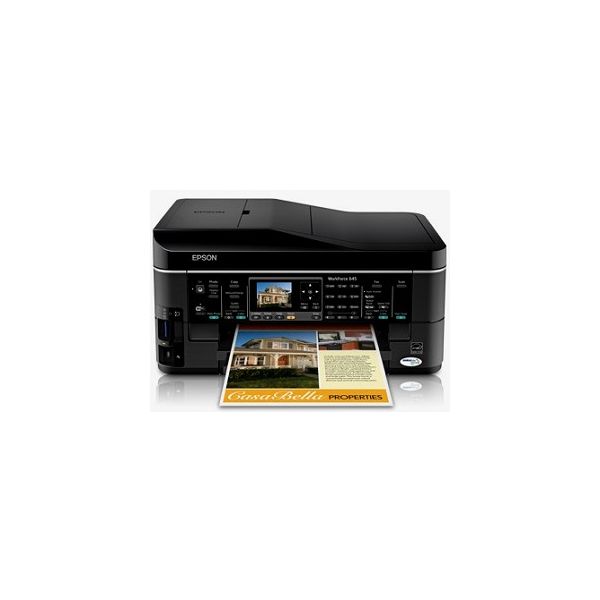
Complete with wireless access, remote printing in the cloud, an interactive touch screen, and several paper trays, the Epson WorkForce WF-3540 is well-prepared to handle large workloads for home offices, corporate teams, and everything in between. The Epson WorkForce WF-3540 bundles an array of useful features to keep your office productive, including a top-loading auto document feeder, dual paper input trays, extra-large-capacity ink cartridges, and cloud printing access by way of Google Cloud Print, Apple AirPrint, and Epson Connect. Additionally, the WF-3540's gesture-controlled display and external USB port encourage people to walk up and use the machine regardless of whether it's connected to the Web -- that means workers can save images and documents on an external storage device for future projects.
Pros:
- The Epson WorkForce WF-3540 workhorse multifunction is built for performance with cloud printing capabilities
- extra-large-capacity ink cartridges
- dual 250-sheet paper trays
- an intuitive touch-screen display
- and an external USB port for standalone copying and scanning.
Cons:
- The 3.5-inch touch-screen display works well with gesture navigation
- but its fixed angle inhibits its usability in higher positions.

13 years ago
This fast, business-centric AIO churns out great-looking documents and photos. It earns top overall marks; the only ding against it as a perfect, economical workhorse is its ink cost.
Pros:
- Excellent scans
- copies
- and printed output
- Respectably fast
- Auto-duplexing ADF and print engine
- Generous paper capacity for the price
Cons:
- High ink cost per page

13 years ago
Epson WorkForce WF-3540
One step up in Epson's line from the Editors' Choice Epson WorkForce WF-3520 , the Epson WorkForce WF-3540 is similar to its less expensive sibling in most ways, but more appropriate for a different level of use. Both of these inkjet MFPs are aimed primarily at busy micro or small offices.
Pros:
- Prints, faxes, scans, and copies
- Unusually capable paper handling
- Wi-Fi
- Ethernet.
Cons:
- Although good enough for most business needs
- text quality is a touch below par

13 years ago
Epson WorkForce WF-3540DTWF: Epson WF 3540DTWF all in one inkjet printer
A very good printer with lots of features but the wifi printing is complicated to use
Pros:
- Looks good
- good quality and fast printing
Cons:
- The wifi setup is complicated

13 years ago
Good Choice
" This All-In-One printer is good for my home/business printing needs. Installation was quick and easy (CD provided does it all). It may be too early to comment on other features, but I am pretty sure there won't be any surprises.
4.0
from 17 reviews
5
31.0%
4
50.0%
3
12.0%
2
0.0%
1
6.0%

