

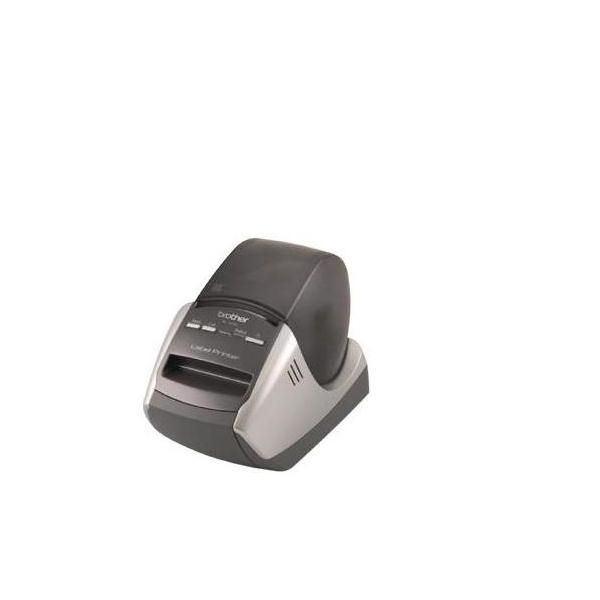
Brother QL570

Reviews
Show product page
12 years ago
It was easy to setup and start using. One annoying "feature", even though I set the default font size to 12, it still starts with 24 point font which I have to change. In the title above I wrote "poor" support, actually I should say "no" support. I posted a question, but never got an answer.

11 years ago
Probably My Best Buy!
This is the second Brother label printer I have bought for the office and I'm very happy with both. The label printer was very quick and easy to set up. Works perfectly every time and the automatic cutter feature is so useful. I couldn't imagine life without a Brother at my side!
11 years ago
"Labels of all sizes with the same roll"
I use the Brother QL-570 with the white continuous rolls, yellow is also available. With the continuous rolls you can create whatever size label you like, perfect for address labels on small jiffy bags to large boxes, and labelling files or name badges, the labeller automatically cuts the label to...
Pros:
- Continuous roll for different size labels
Cons:
- Software could be more graphical

11 years ago
Good label printer
Does what you need, has lots of clip art and label templates. Once set up is quick and easy to print. Must be connected to computer via USB. Does not appear to have any other options; such as plugging into a router. But other models may do that. Can take different label sizes to save waste
Pros:
- prints labels quickly
- does what you need
- takes different size label rolls
Cons:
- Not wireless

10 years ago
Very Good
I found this very easy to set up. The instructions were clear and easy to follow. My only gripe is that the tray to catch the labels doesn't catch the labels haha. I'm still getting familiar with it as I'm sure the software can do much more than I have done with it so far.
10 years ago
Great Purchase At A Very Reasonable Price
A little bit of an impulse buy but now I do not know what I would do without it. It comes with 29mm continuous tape and I bought 12mm continuous tape. These two different tapes have allowed me to label all the plugs of my computer systems (there are 5 computers, 3 monitors, 4 printers and numerous...
10 years ago
Buy the Brother QL-570 label printer!
This was purchased for personal use and originally intended for labeling up my numerous stamp albums and my personal files, I soon realized my uses will be far wider. The printer was very easy to set up and the software is very versatile, allowing you to create custom and professional looking...
9 years ago
Great machine for all purposes
Great machine for all purposes. Bought when on sale, similar price than the DYMO PnP LableMaker, but with far more capabilities. Also the labels are pretty cheap as well.
9 years ago
Saved me a daunting task
I am 71 years old and find writing names and addresses on over 100 Christmas cards a daunting task. I got my grandson to add all the names and addresses to the address book software supplied, now I just select the person I need, click the label and hey presto it prints the labels for me.
9 years ago
Love it
Bought this label printer to label Software DVD's and Computers, but I keep finding other things to label. the software is easy to use and the printer prints very quickly and cuts the label to size.
4.4
from 32 reviews
5
50.0%
4
40.0%
3
3.0%
2
3.0%
1
3.0%

