

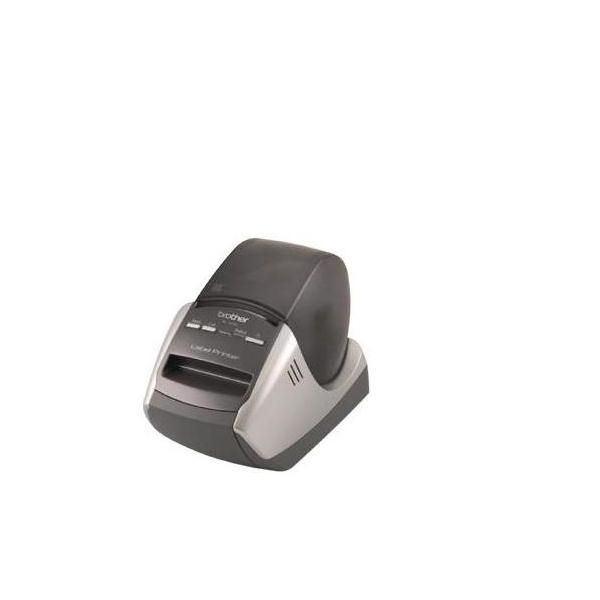
Brother QL570

Reviews
Show product page
16 years ago
REVIEW – Brother QL-570 Professional Label Printer
Whether you're living in a college dorm and you want to keep tabs on all of your belongings or you're working in an office where your stapler always seems to go inexplicably missing from your desk, having a good label maker can go a long way.
15 years ago
Brother QL570 Label Maker Label Printer
i was amazed that this brother ql570 label printer came supplied with all the necessary bits and pieces such as usb cable, p-touch software, address labels and paper tape. like if the fact that it is a very reliable thermal label printer wasn't enough :). very very good product.
12 years ago
It was easy to setup and start using. One annoying "feature", even though I set the default font size to 12, it still starts with 24 point font which I have to change. In the title above I wrote "poor" support, actually I should say "no" support. I posted a question, but never got an answer.

17 years ago
Caution before purchasing
No, I would not recommend this to a friend
Pros:
- Compact Design
Cons:
- Hard Setup

18 years ago
The QL-570 is a useful tool for small business owners who do a lot of shipping, or hobbyists who need to print labels.
Pros:
- Easy to set up
- use
- Fast printing
- Fun templates
- Auto paper sensing and feeding
- Intuitive software
Cons:
- Low resolution is ideal for text
- but not images
- No color option
- Expensive for casual use
- Requires connection to computer

17 years ago
Fast, clear, and affordable compact labeler
I was sick with the slow and unclear labels coming out from my old handheld labeler. I came across this printer which was priced at $40 and picked it up. Installation was a breeze. Printing is surprisingly fast and clear. My only complaint is its labeling software.
Pros:
- Fast and clear printing
Cons:
- Printing software is a bit clumsy

15 years ago
A great little item if you get it on closeout!
We did not need a label printer, but when I saw this for very cheap on buy.com I thought it would be
Pros:
- Paper lasts a long time
- customizeable labels with images
- print right from Outlook
Cons:
- Can'
- t print from browsers or other apps.

12 years ago
The QL-570 label printer
I use the QL-570primarily to create labels for mineral specimens and themore I use it the more I LOVE it. It took a few tries to figure out what I was doing but the more I use it the easier it is and the more I like it.
12 years ago
The QL-570 label printer
I use the QL-570primarily to create labels for mineral specimens and themore I use it the more I LOVE it. It took a few tries to figure out what I was doing but the more I use it the easier it is and the more I like it.
11 years ago
"Labels of all sizes with the same roll"
I use the Brother QL-570 with the white continuous rolls, yellow is also available. With the continuous rolls you can create whatever size label you like, perfect for address labels on small jiffy bags to large boxes, and labelling files or name badges, the labeller automatically cuts the label to...
Pros:
- Continuous roll for different size labels
Cons:
- Software could be more graphical
4.4
from 32 reviews
5
50.0%
4
40.0%
3
3.0%
2
3.0%
1
3.0%

