

AOC Q2963PM 29in

Reviews
Show product page
12 years ago
AOC Q2963PM Review
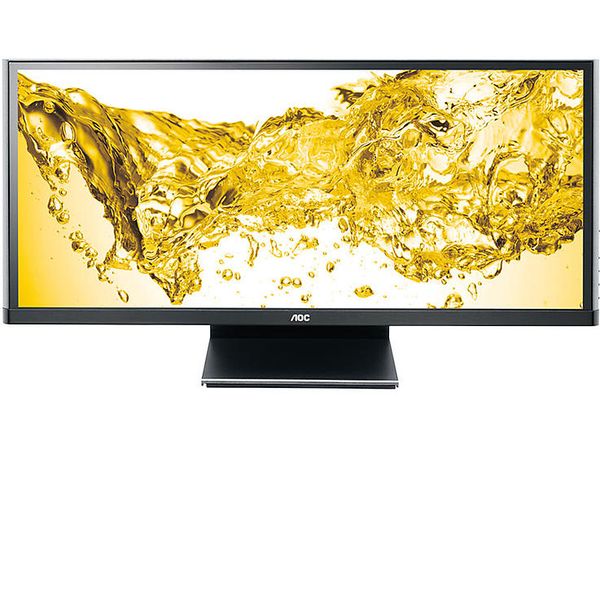
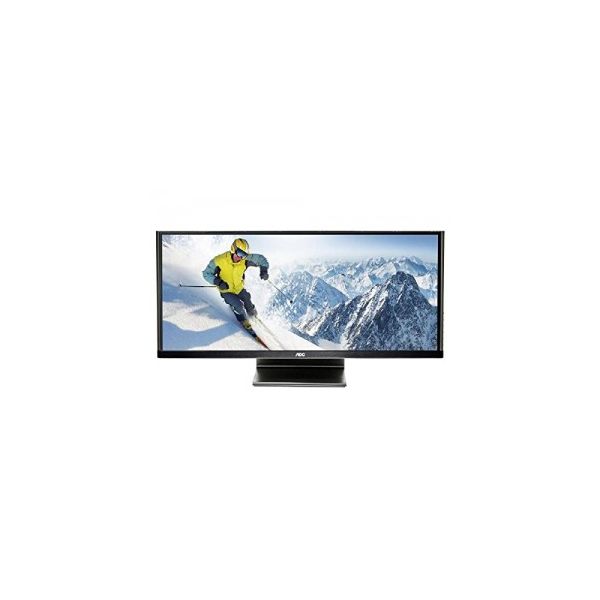
The AOC Q2963PM brings ultra-wide display capabilities to your desktop at an affordable price. It offers a wealth of video ports and reasonably good performance but its vertical viewing angle performance needs work.
Pros:
- Affordable
- Good color and grayscale performance
- Lots of video ports
Cons:
- Limited adjustability
- Weak vertical viewing angle
- No USB ports

12 years ago
AOC Q2963PM
If you have more than one monitor on your desktop and want to free up some valuable workplace real estate, consider replacing it with an ultra-wide monitor like the AOC Q2963PM . This 29-inch display has a resolution of 2,560-by-1,080, a 21:9 aspect ratio, and an IPS panel that offers rich color...
12 years ago
AOC q2963Pm
This ultra-wide display has excellent colour accuracy and a wide range of inputs, but contrast levels could be better
12 years ago
AOC Q2963Pm review - Impressive ultra-wide 29in display with 2560px resolution
It's time to go wide again with the second of the ultra- wide panels in this round up. Like the NEC model, this is 29in of LCD screen, with LED backlighting and a resolution of 2560 x 1080 pixels. But that's where the similarity stops.
Pros:
- Ultra-wide 29in display
- good screen brightness and colour consistency
- stylish cabinet and good selection of interfaces
- quick refresh rate
- very good value
Cons:
- Below par brightness and contrast
- some wayward colours
- stand is very short and doesn't rotate
- not much vertical resolution
12 years ago
AOC q2963Pm review
The AOC q2963Pm isn't the most attractive 29in monitor we've ever seen, but there's a lot to like about this ultra-wide display. Its industrial slab-like design is a world away from the sleek curves of the LG 29EA93, but this 2,560x1,080 IPS display is great for multitasking with lots of individual...
11 years ago
Good, but not perfect
I use it with a Mac (display port) and an Apple TV (HDMI) Real good screen for working with wide docs. It's a good experience with movies too (IPS and LED are perfects and there no ghosting effect). Buttons for controling preferences are very complicated (driver dont work on Mac).
12 years ago
Review Roundup: Get a bigger picture with an ultrawide 29-inch display
All four of these displays performed well overall. For folks who want to use an extrawide screen to handle multimedia, the LG 29EA93P, with its decent built-in speakers, would be the best choice.
Pros:
- Very good off-axis viewing
- Crisp and clean text
- Excellent off-axis viewing
- Very flexible stand
- Overall very good image quality
- IPS panel delivers great off-axis viewing
- Very good height-adjustable
- pivoting stand
- Pivots
- Very good overall image quality
- Built-in USB 3.0 hub
- Very good
Cons:
- Subpar speakers
- Limited ergonomic flexibility
- Whites have a yellowish tinge
- No audio speakers
- Autocolor feature has its quirks
- Mediocre integrated speakers
- Limited ergonomic flexibility

10 years ago
Questionable Design
I bought this monitor on sale and I feel it wasn't worth it and I am currently shopping for a different one to use as my main monitor. The momentary flashing to black isn't a problem web surfing but it is in gaming, it's only a bit distracting when watching Netflix.
Pros:
- good resolution ultra wide size good colors physically well constructed
Cons:
- buttons on side are blocked when using side by side monitors no height adjustment monitor flashes black/blank occasionally (not a driver and no other monitor on my system does this so it isn't the video card monitor often goes blank indicating no HDMI signal - however there is no HDMI or HDMI cable...

12 years ago
AOC Q2963PM Review
The AOC Q2963PM brings ultra-wide display capabilities to your desktop at an affordable price. It offers a wealth of video ports and reasonably good performance but its vertical viewing angle performance needs work. If you have more than one monitor on your desktop and want to free up some valuable workplace real estate, consider replacing it with an ultra-wide monitor like the AOC Q2963PM . This 29-inch display has a resolution of 2,560-by-1,080, a 21:9 aspect ratio, and an IPS panel that offers rich color reproduction. It offers every video port you'll ever need and is reasonably priced, but it's not without a few minor flaws; it loses luminance when viewed from a top and bottom angle and it lacks ergonomic adjustability. Design and Features The Q2963PM's massive screen is housed in a matte black cabinet with uber-thin top and side bezels. The side bezels are curve around to the back of the cabinet and the 0.75-inch bottom bezel holds a small shiny AOC logo. There are four function buttons, a power switch, and a blue LED power light on the right side of the cabinet. None of the buttons are labeled but that's not a problem; pressing any key brings up an on-screen label that uses large icons...
Pros:
- Affordable
- Good color and grayscale performance
- Lots of video ports
Cons:
- Limited adjustability
- Weak vertical viewing angle
- No USB ports

12 years ago
AOC Q2963PM 29in UltraWide IPS LED Monitor
PC enthusiasts and gamers understand that modern graphics cards are able to play the latest games at resolutions way above the standard 1,920x1,080 (1080p) available on a wide range of inexpensive monitors.
4.3
from 23 reviews
5
38.0%
4
50.0%
3
5.0%
2
5.0%
1
0.0%

